
Frame every shot like a pro.
slay is an AI camera that overlays professional composition guides on your viewfinder, tracks your subject and locks the moment the shot lines up. Press the shutter — and capture a photo you actually want to post.
Available for iPhone · Free on the App Store
Step 01 — Framing
A guide for every kind of shot
Pick from 14 professional compositions — rule of thirds, triangles, vanishing points — and watch them overlay your live view. No more guessing where the subject should sit.
- 14 hand-drawn composition guides
- The lens zooms to each guide's focal length
- Guides track every lens, 0.5–3x
Trusted by creators and brands
 Glamour Avenue
 Podium
 Lali Fashion
 SAAZ Studio
 @rayyxonaa
 @abdurohman_baratov
 @domirando_m
 @ikromjon_isoqov
 @juzuweee
 @khurahon
 @rushonaqalqonova
 @ssultanqyzy
 @whymakhi
 @yaps.gg
slay is what happens when you compose the photo before you take it.It starts with a guide layered over your live view that shows where the lines should fall. Use it for portraits in golden light. Use it for café corners and quiet travel days. Use it to learn composition one shot at a time.It stays with you from a rooftop at sunset to your very next selfie.
A coach in your camera.
Three simple steps. No memorising composition rules — the guide is already in your viewfinder, waiting for the shot.
 01
01Pick a composition
Choose from 14 professional composition guides — rule of thirds, triangle, vanishing point — and watch them overlay your live view.
 02
02Align your subject
slay's AI tracks your subject live. Move the camera until it lands in the guide's zone — the zone lights up, the readout says LOCKED and your phone taps.
 03
03Capture the shot
Press the shutter. The photo develops like a print in the Darkroom, with a shot report on how close you got — no guesswork, no cropping later.
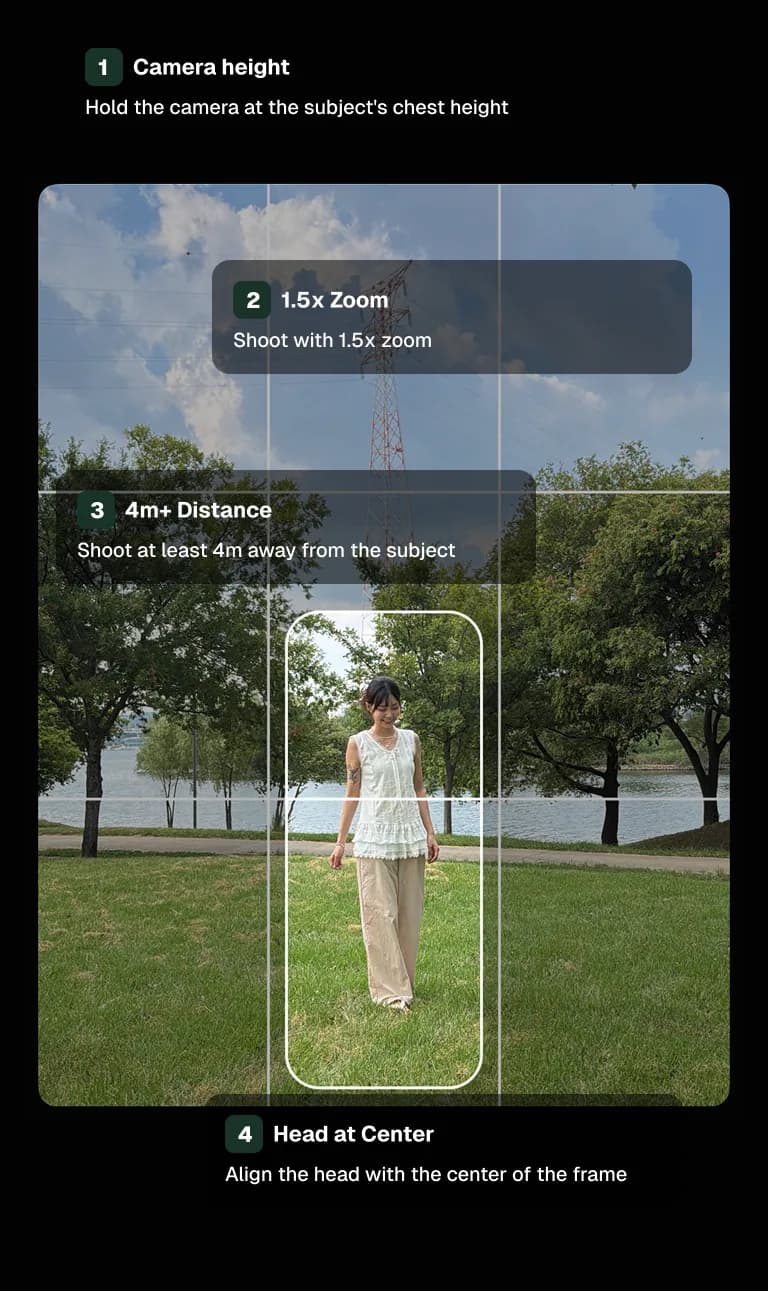
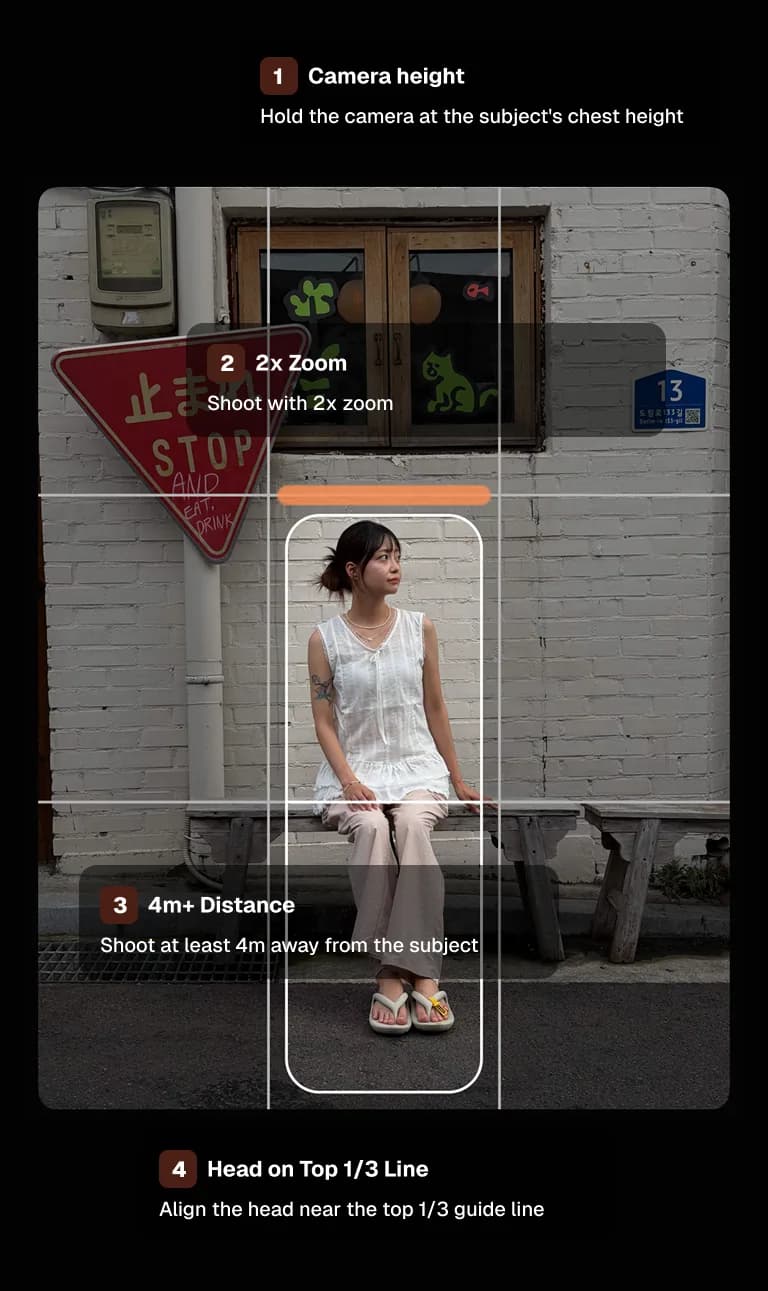
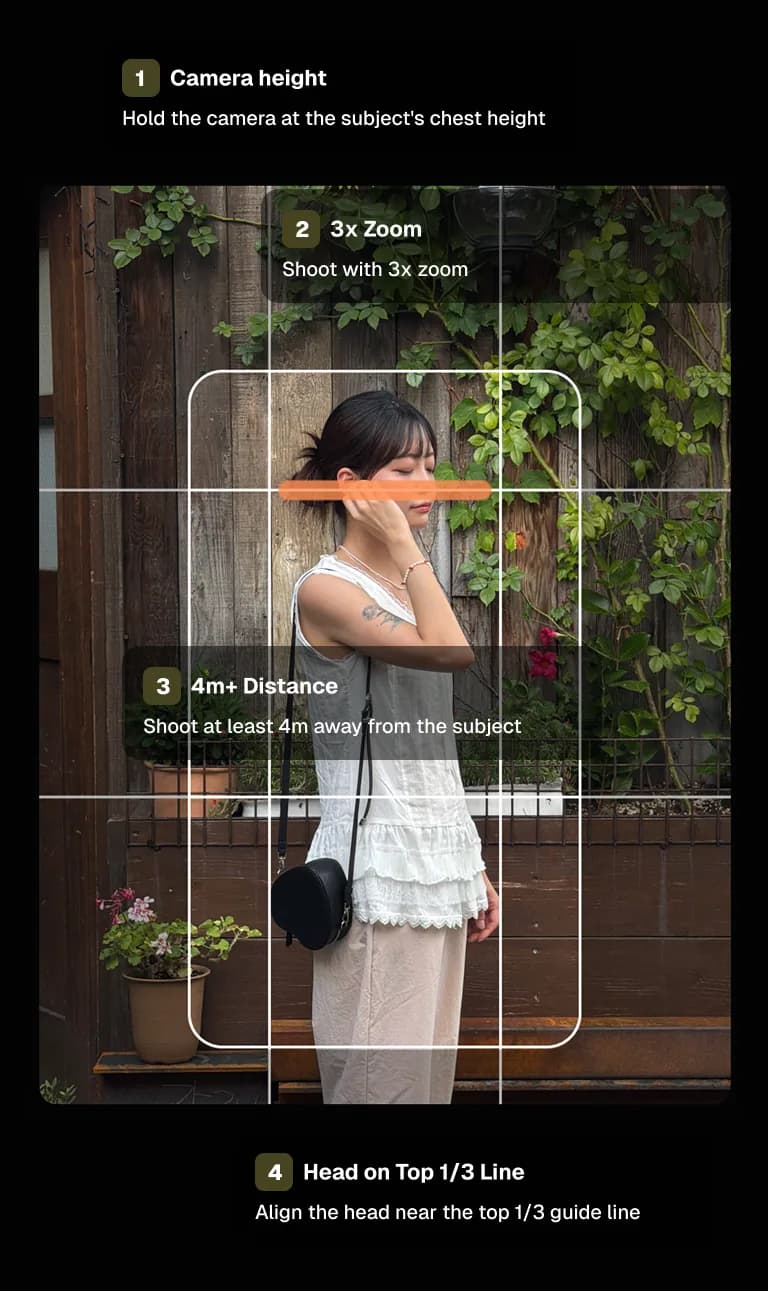
A guide for every kind of shot.
Fourteen hand-crafted compositions, overlaid live on your camera. Each comes with step-by-step instructions — align, then shoot.
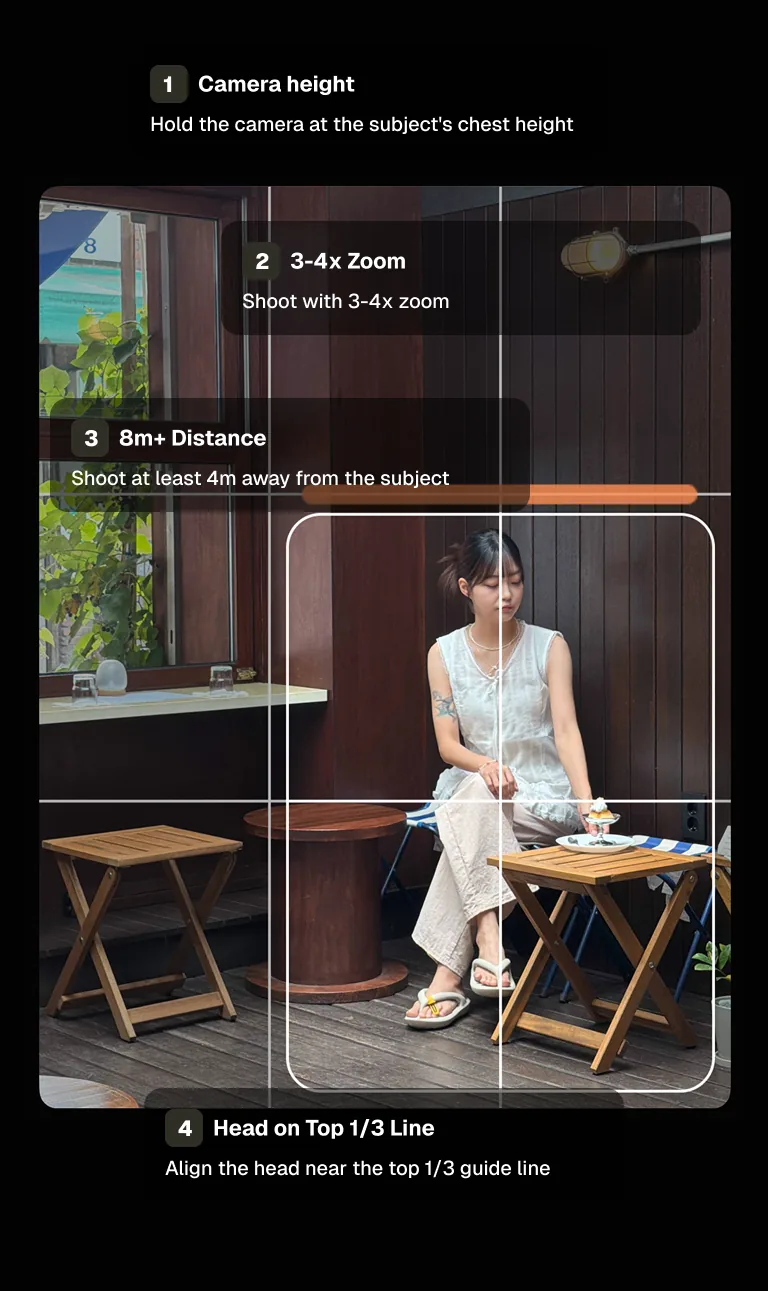
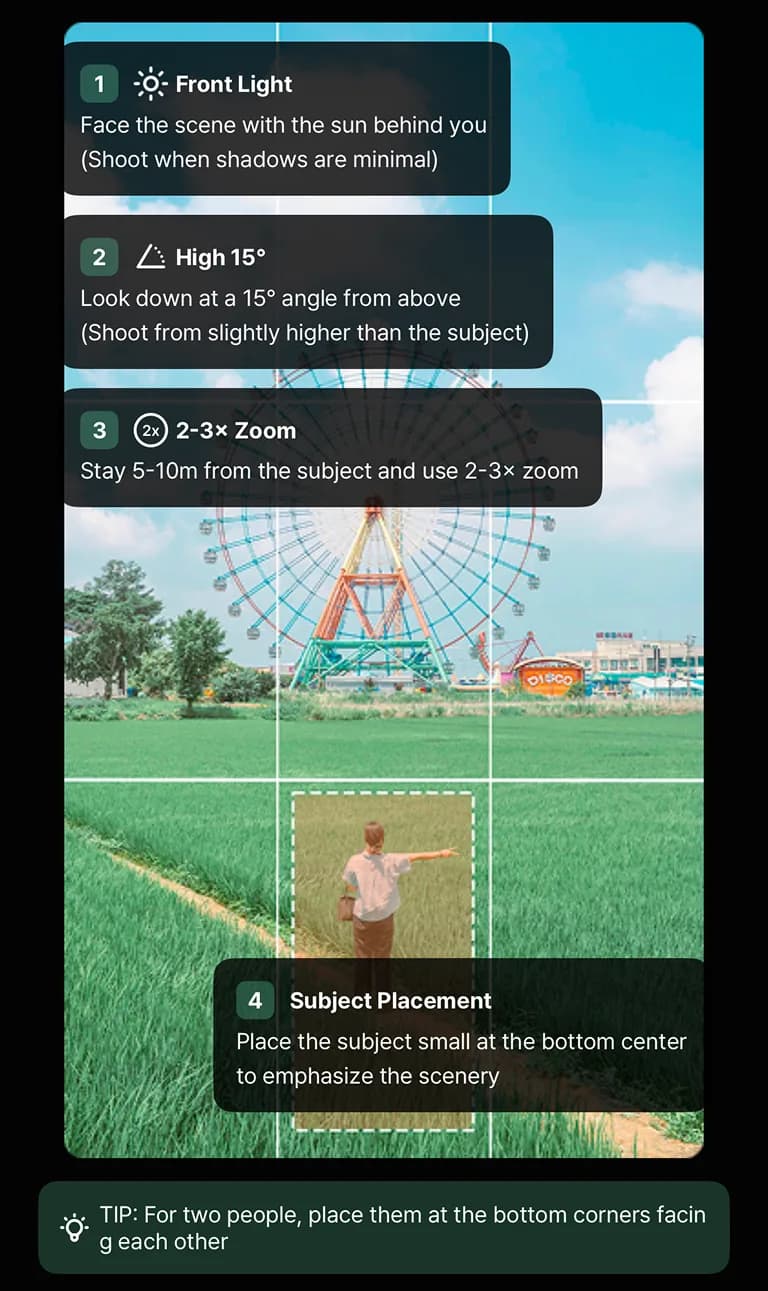
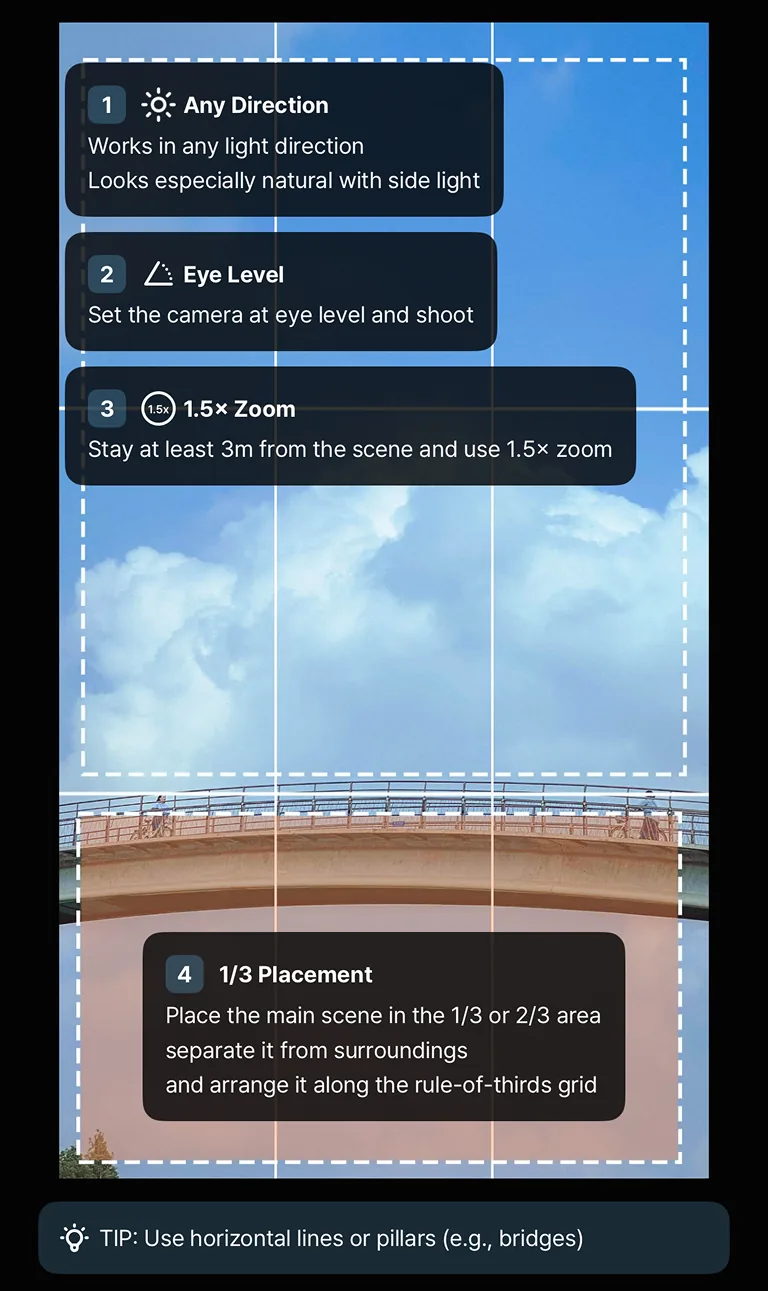
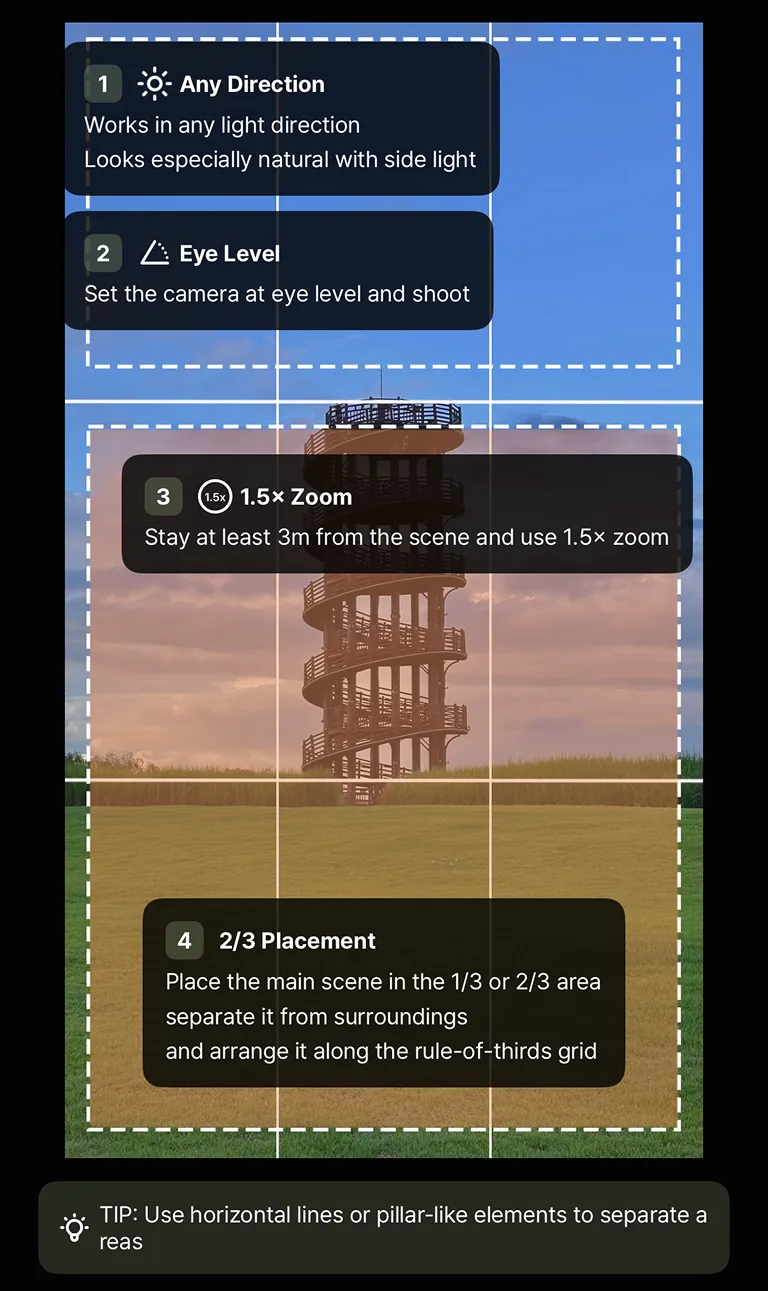
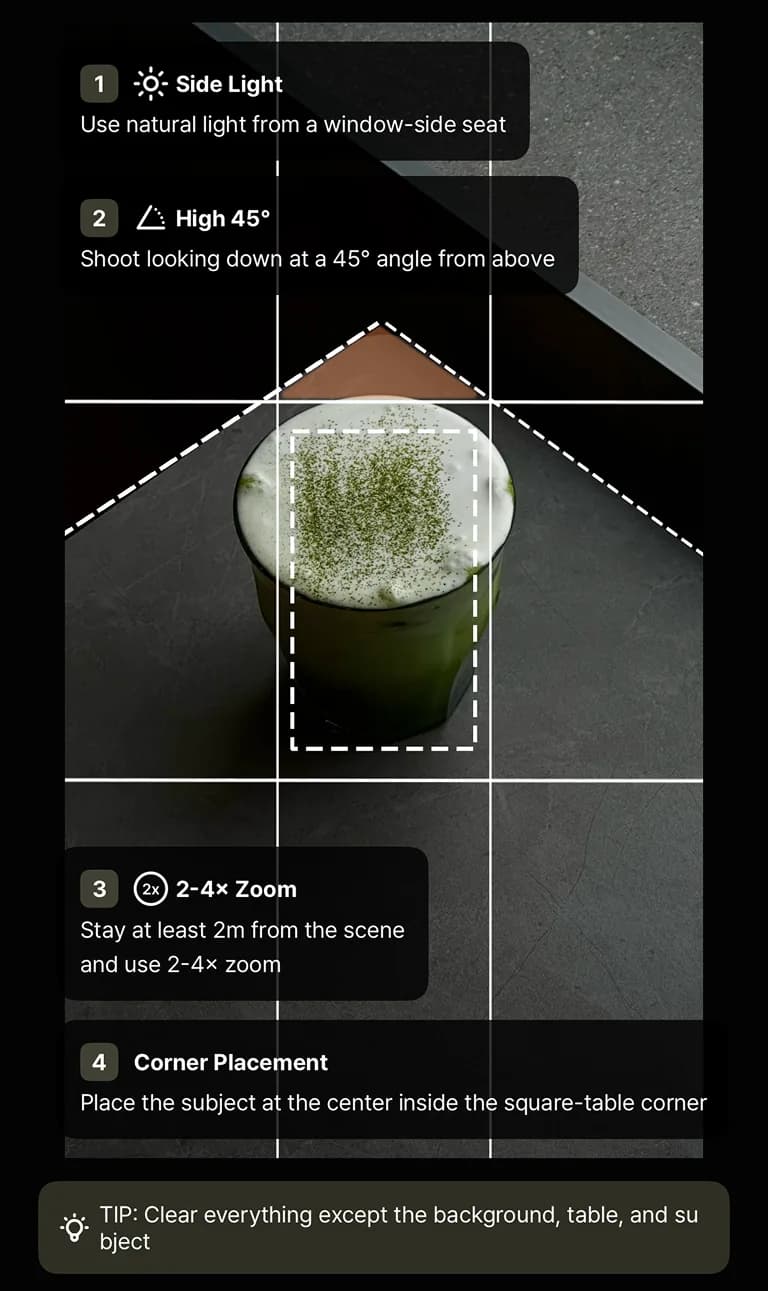
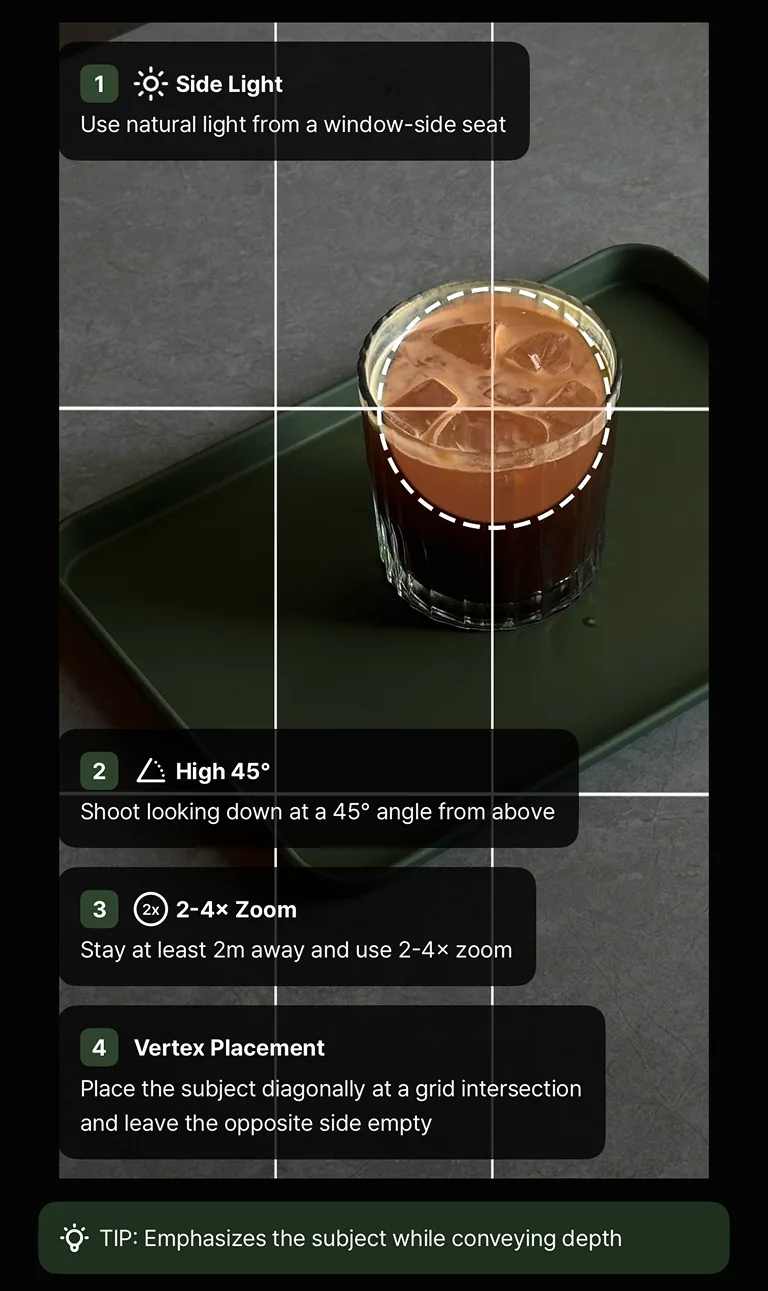
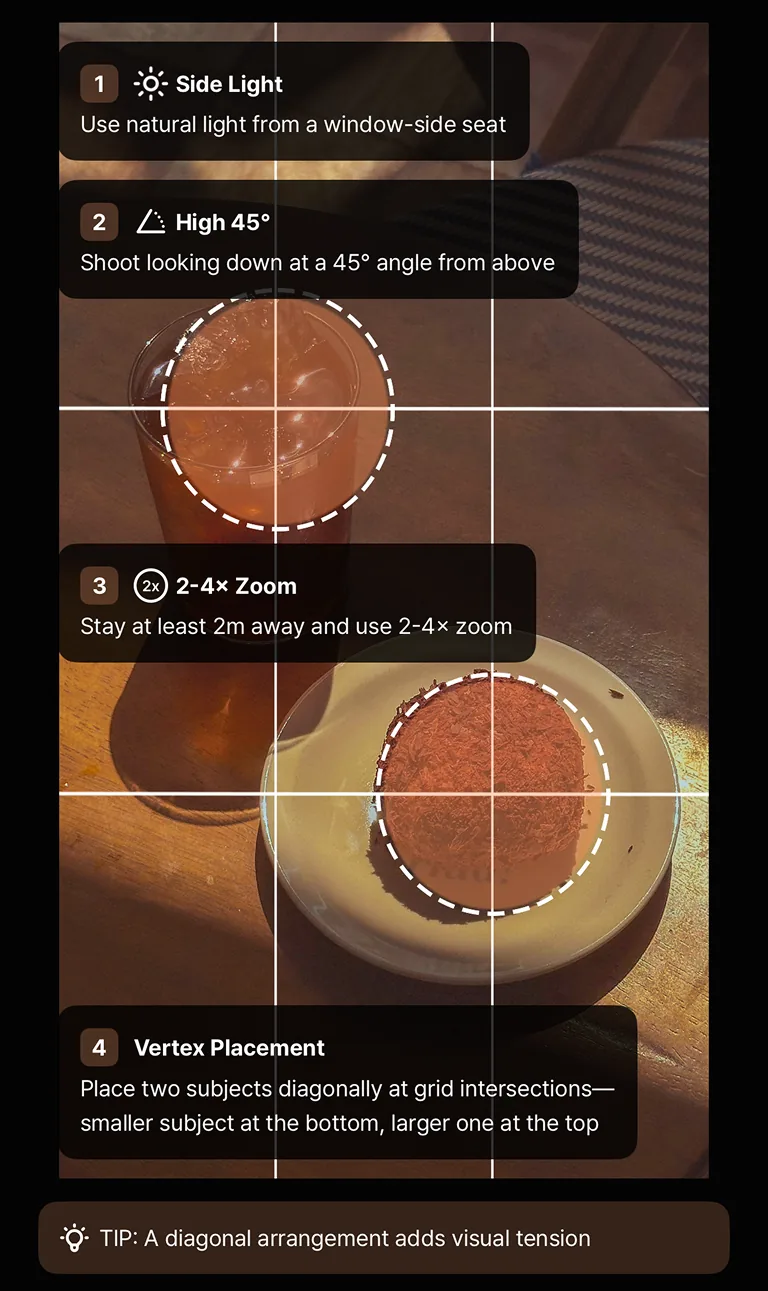
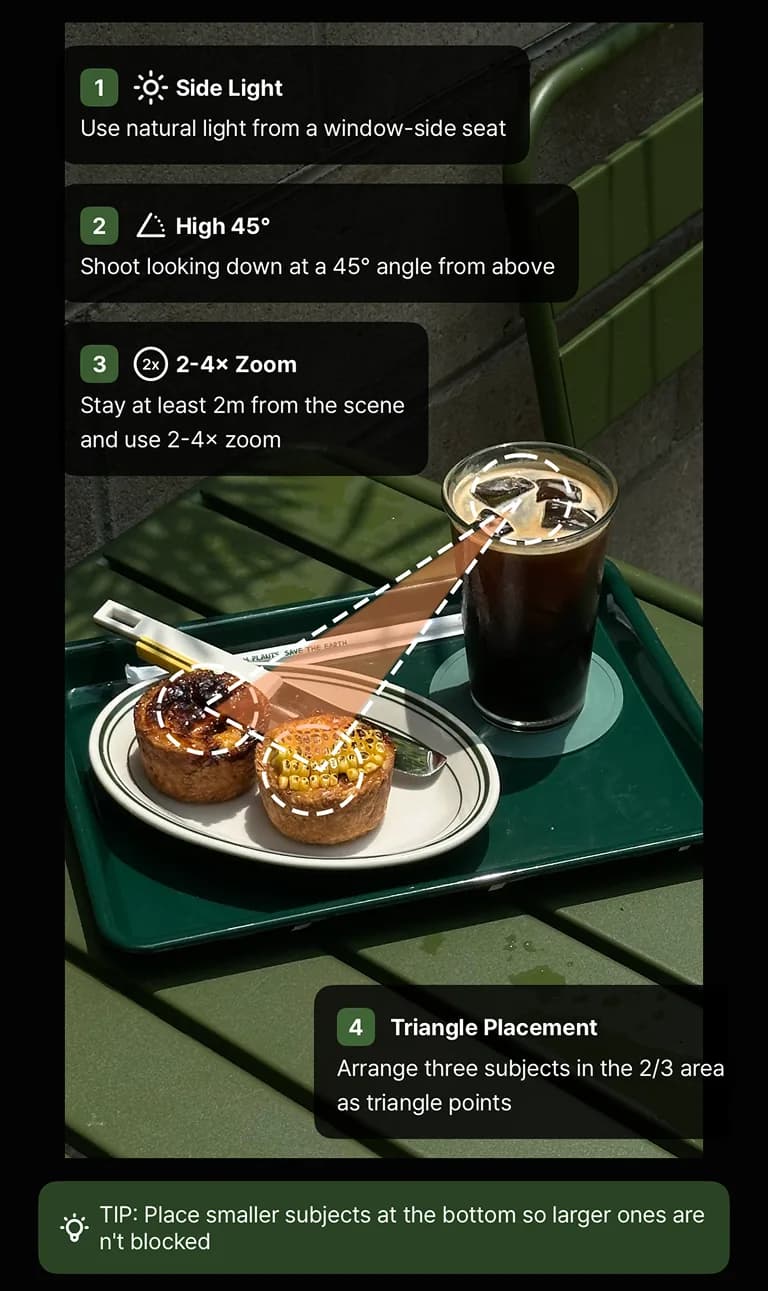
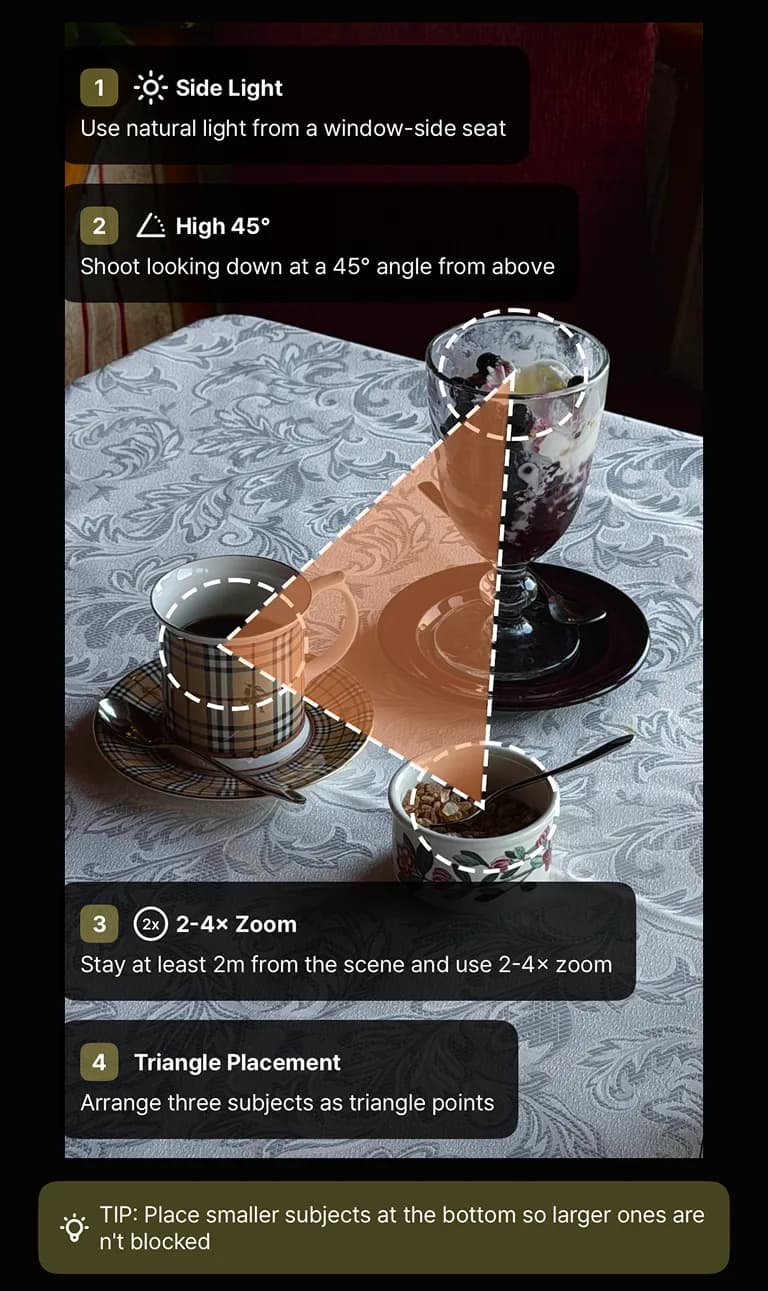
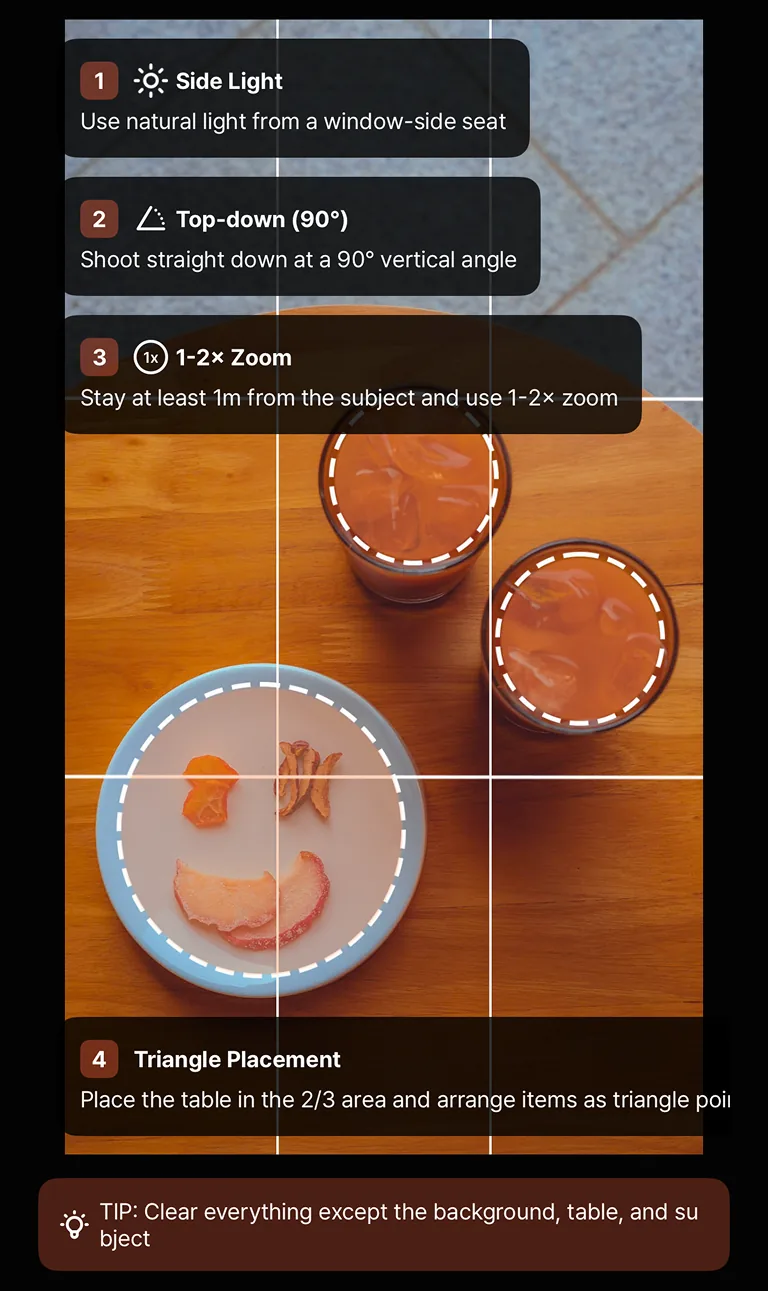
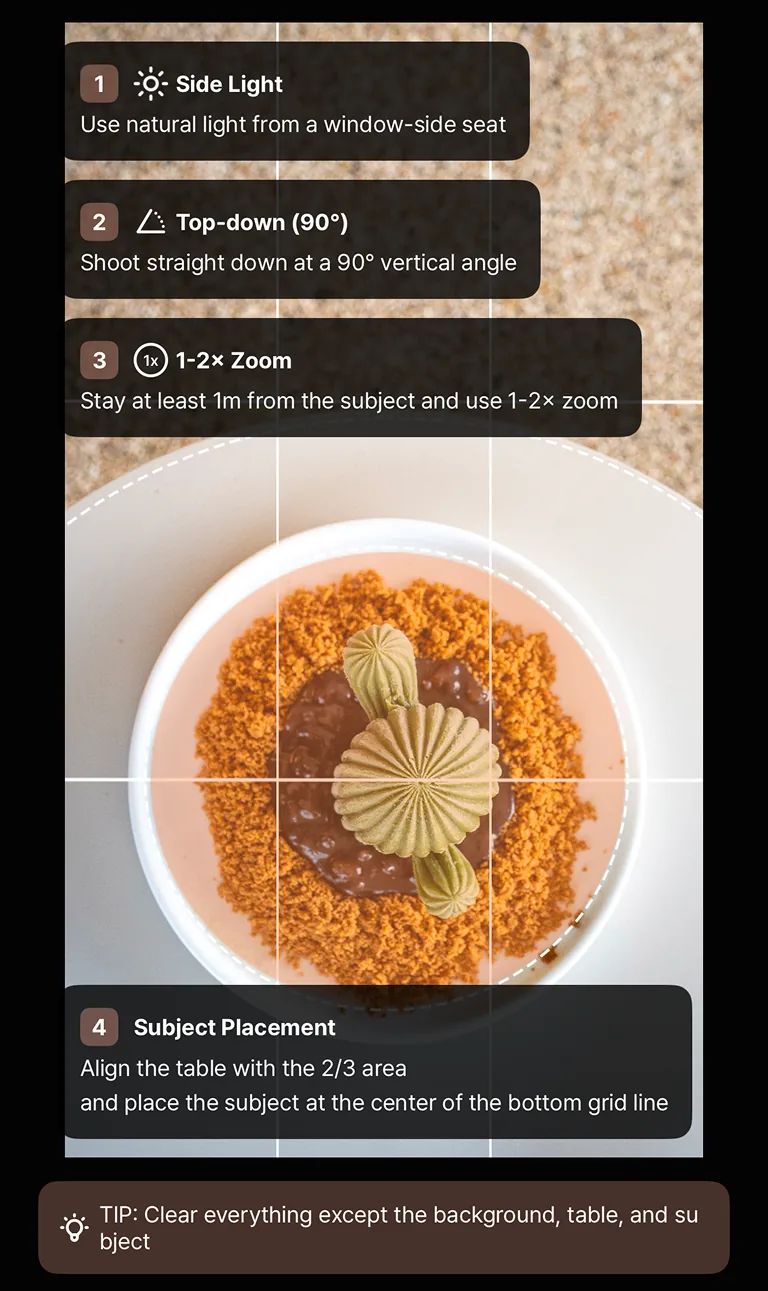
“Finally an app that actually helps me take better photos. The guides make such a difference.”
 @domirando_mShooting with slay
One app for framing, color,
and learning.
The stock camera takes the photo. Editing apps fix it after. slay is the only one that teaches you to frame it right in the moment.
| Feature |  slay slay | Camera app | Editing app |
|---|---|---|---|
| AI powered | On-device AI subject lock | AI processing only | AI edits after the shot |
| Live composition guides | 14 guides | No | No |
| Subject alignment coach | AI subject lock | No | No |
| LUTs & presets | 38 built in | No | Some |
| Native 0.5–3x zoom | Yes | Yes | No |
| Learn composition as you shoot | Every shot | No | No |
| Editing required | None | Often | Always |
Real people, really good frames.

“I love seeing the details nobody notices. slay helps me frame them so everyone else can too.”

“I shoot a lot, fast, everywhere. slay keeps the framing tight so I never fix it in the edit.”

“Composition used to be my blind spot. Now I frame first and post faster.”

“Music is timing. Framing is timing too — slay helps me catch both.”

“Light and mood do the talking — slay just keeps the frame honest.”

“I document fast and post often. slay keeps it all looking considered.”
Free to download. Pro when you're ready.
3-day free trial on monthly. Start with the free guides — upgrade when you want the whole camera.
Free
$0Everything you need to start framing better photos today.
- 2 composition guides
- AI subject tracking and lock
- 5 film stocks and the first 3 lessons
- Native 0.5–3x zoom
- All core camera controls
Pro Most popular
$2.99Or $1.99/week · $39.99 lifetime. Every guide, every LUT, every lesson.
- All 14 composition guides
- 38 LUTs & presets
- Every Field Guide lesson
- New guides and LUTs as they drop
- 3-day free trial · cancel anytime
Frequently asked questions
Everything you need to know about slay. Ask anything below — the assistant answers from the app's docs.
slay, by the numbers
Stop guessing. Start framing.
Free to download. Slay Pro unlocks every guide, LUT and lesson — one camera that makes every shot count.
Free on the App Store · iPhone